
EditEngine for Shopify
A Shopify bulk product editor that shows its work
Build a precise product filter, stack one or more changes, and inspect the new values before they touch your catalog. EditEngine handles routine catalog work in the app and the awkward jobs through CSV or XLSX—without giving up scheduling or rollback.
Built for Shopify · 4.9 from 146 reviews · Free plan available
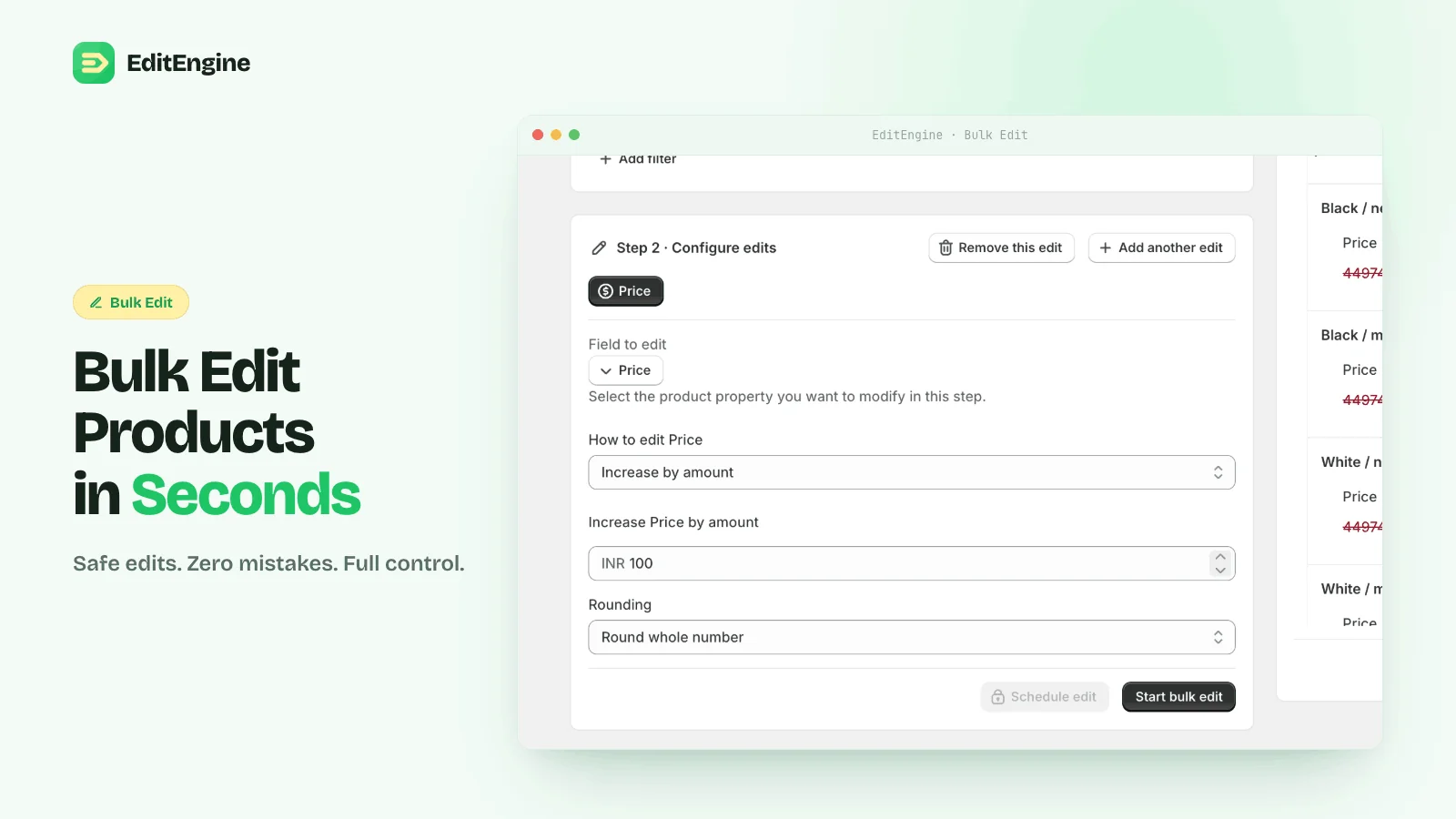
Preview before apply
The preview resolves dynamic values and displays the proposed change product by product.
Schedule the run
Queue sales, launches, cleanup, or price resets for a specific window instead of waiting at the keyboard.
Undo from history
Completed app-native edits keep an operation history and can be reversed without rebuilding the original values.
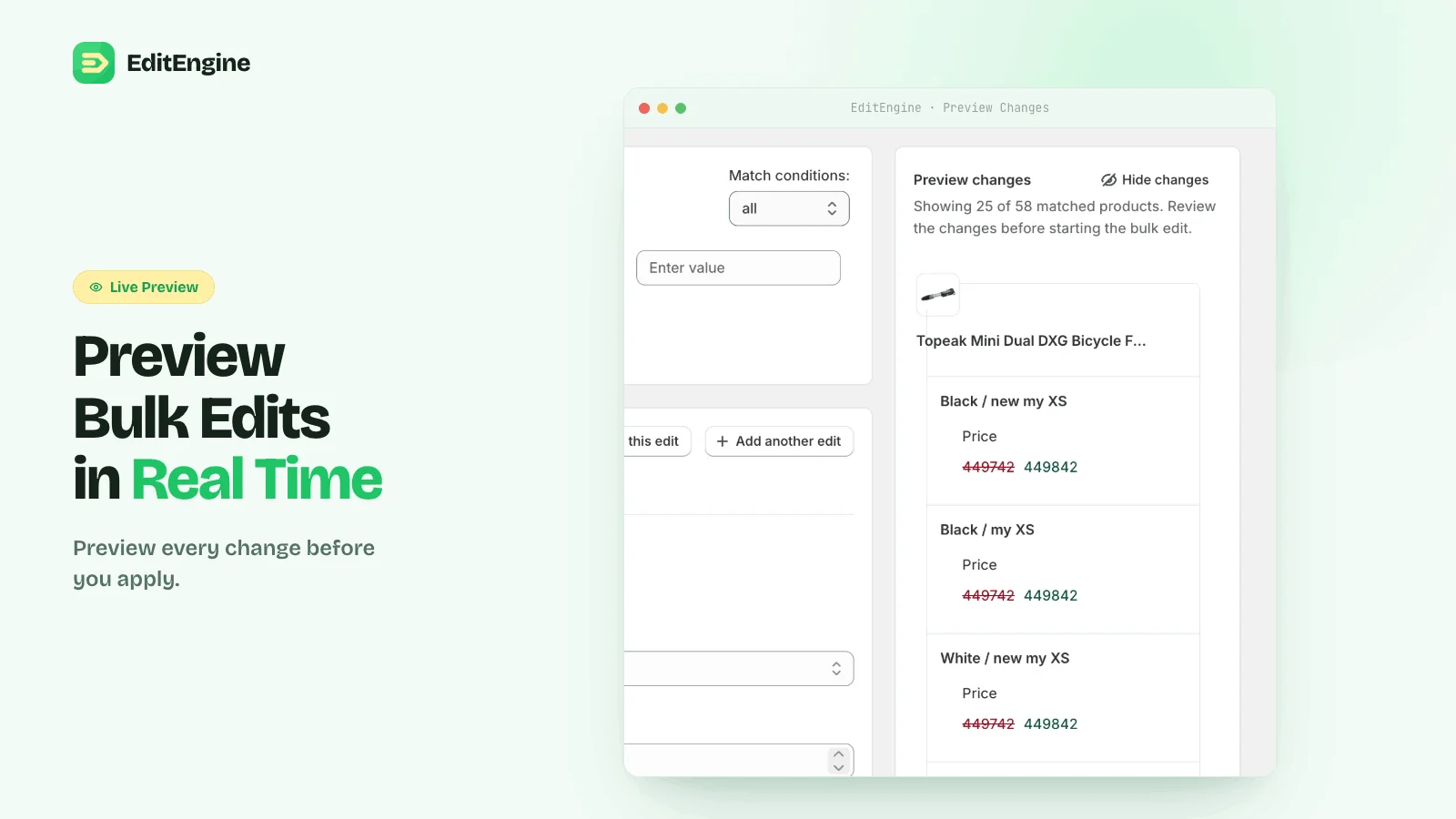
Preview is the control surface
Catch the bad edit while it is still hypothetical
A bulk edit is dangerous when the filter is wider than expected or a formula compounds twice. EditEngine calculates the proposed value for each matched product before the run. Narrow the filter, change the operation, or remove an edit until the preview is right.
See a step-by-step price edit →Catalog coverage
One editor for the fields merchants actually change
Merchandising
Titles, descriptions, vendors, types, tags, collections, status, and sales channels
Pricing
Price, compare-at price, cost, percentage changes, fixed changes, and rounding
Inventory
Quantities, tracking, policy, locations, SKU, barcode, weight, and customs fields
SEO & feeds
SEO titles, meta descriptions, handles, image alt text, and Google Shopping data
Custom data
Product metafields, variant metafields, list values, and metaobject references
Spreadsheets
Matrixify-compatible CSV and XLSX import/export across the wider Shopify store
Recovery
The run is not the point of no return
Edit history records what ran, the filter used, and the operations applied. App-native changes can be undone from the run summary. For destructive spreadsheet imports, keep the original export as the rollback file and test a tiny batch first.
Read the destructive-import safeguards →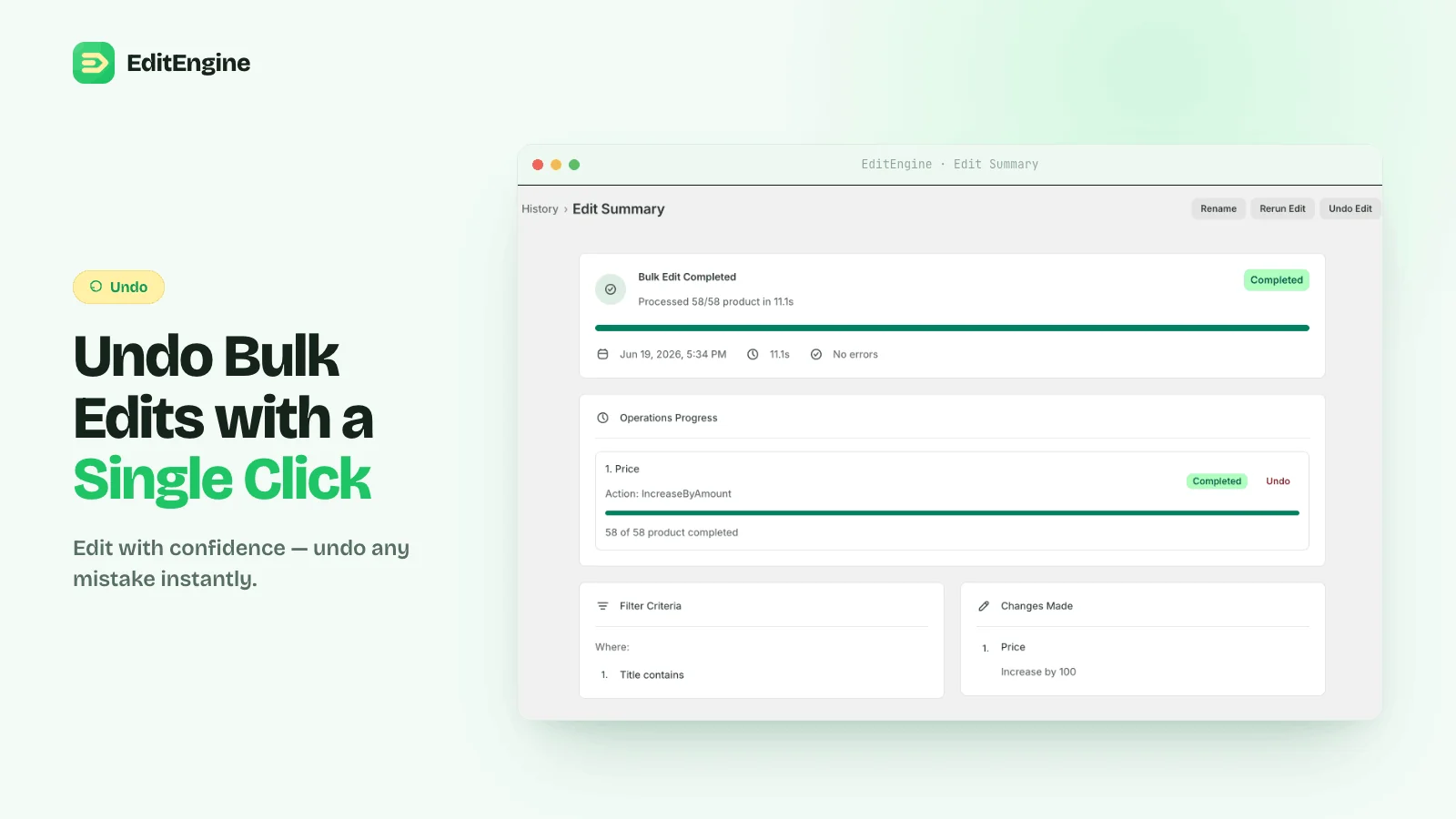
Run the first edit on a small batch
The free plan includes unlimited tasks for up to 100 products per task, plus import, export, and undo.