
Variants & options
How to Bulk Edit Country of Origin
Published by Profitonium Apps · Last updated
Set the Country of Origin on many product variants at once with EditEngine. Pick a country from a searchable list and every matched variant gets the matching ISO 3166-1 country code (US, DE, JP, etc.). This is the same value Shopify uses for customs declarations on shipped orders.
Country of Origin is a variant field. Each variant of a product has its own value, so the edit runs once per matched variant. A product with three variants gets three updates.
The picker uses Shopify's standard country list — about 245 entries covering every recognised country, plus territories and special codes. Behind the scenes the field stores a two-letter ISO code, but you search and pick by full country name.
Step 1: Pick the Country of Origin field
In the Configure Product Edits panel, click Select Field.
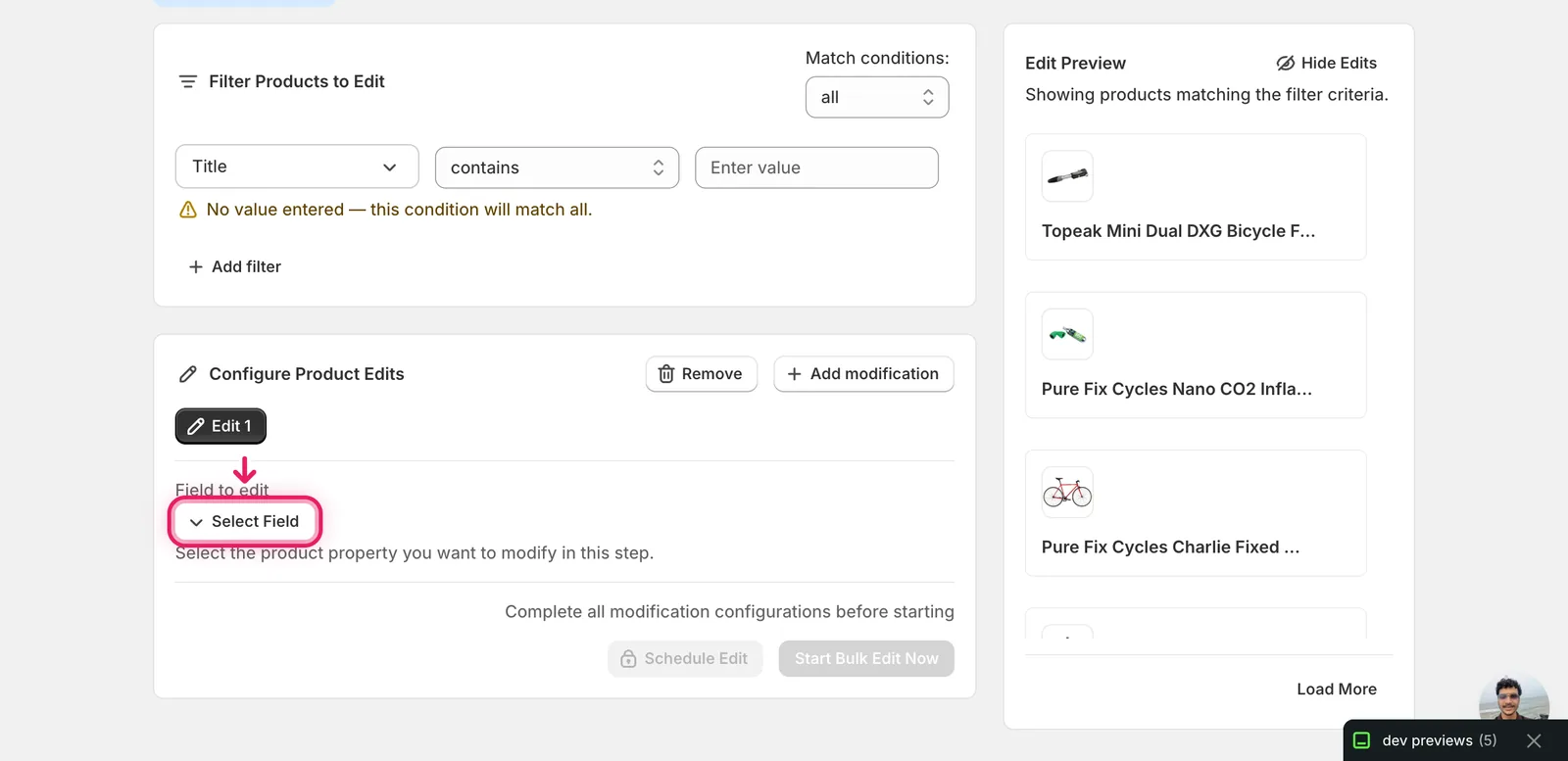
The Select Field modal opens. Country of Origin lives under Variant Fields.
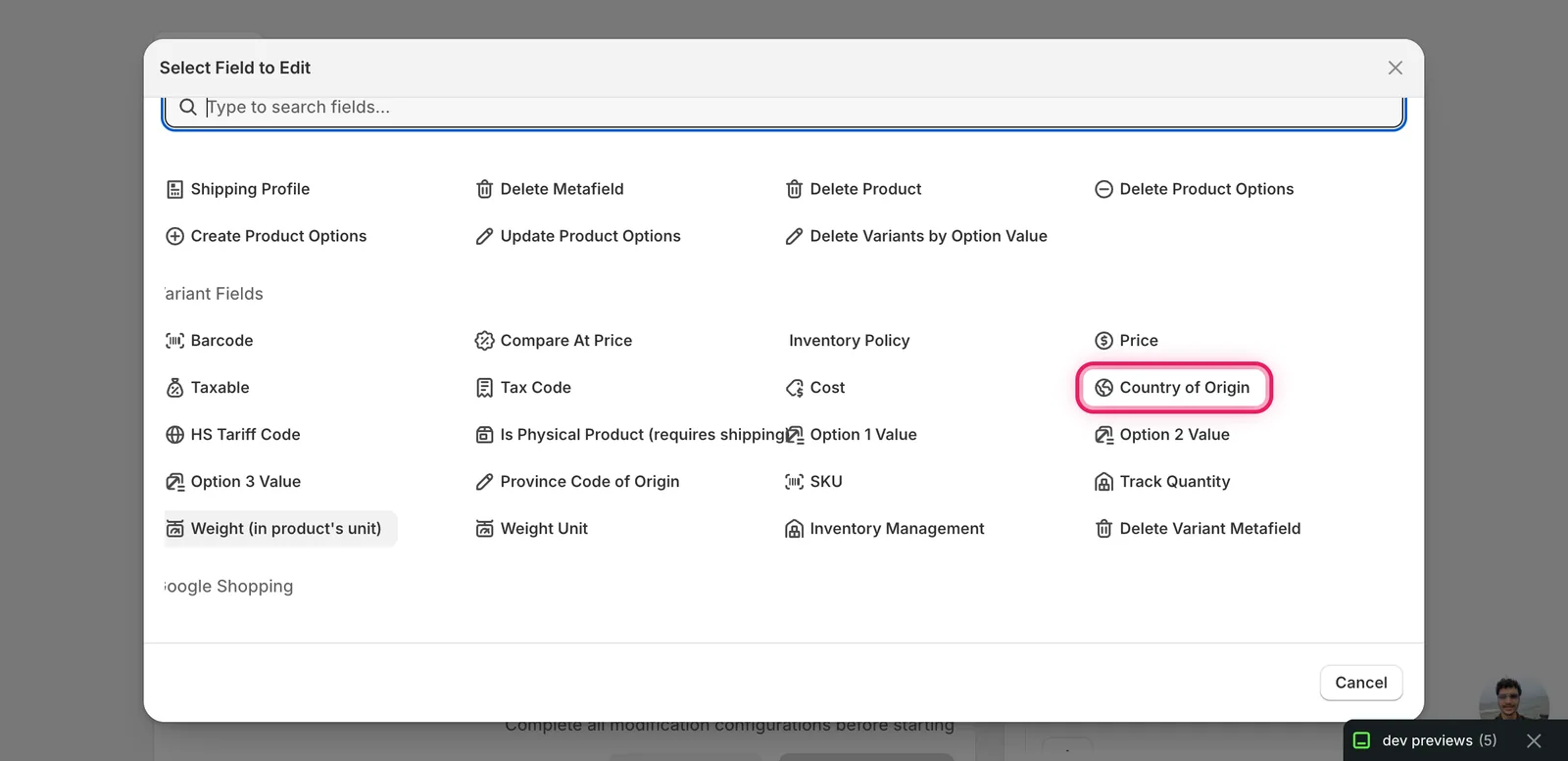
Click Country of Origin. The configuration panel switches to a Select a country picker — there is only one action for this field, so no separate "How to edit" dropdown.
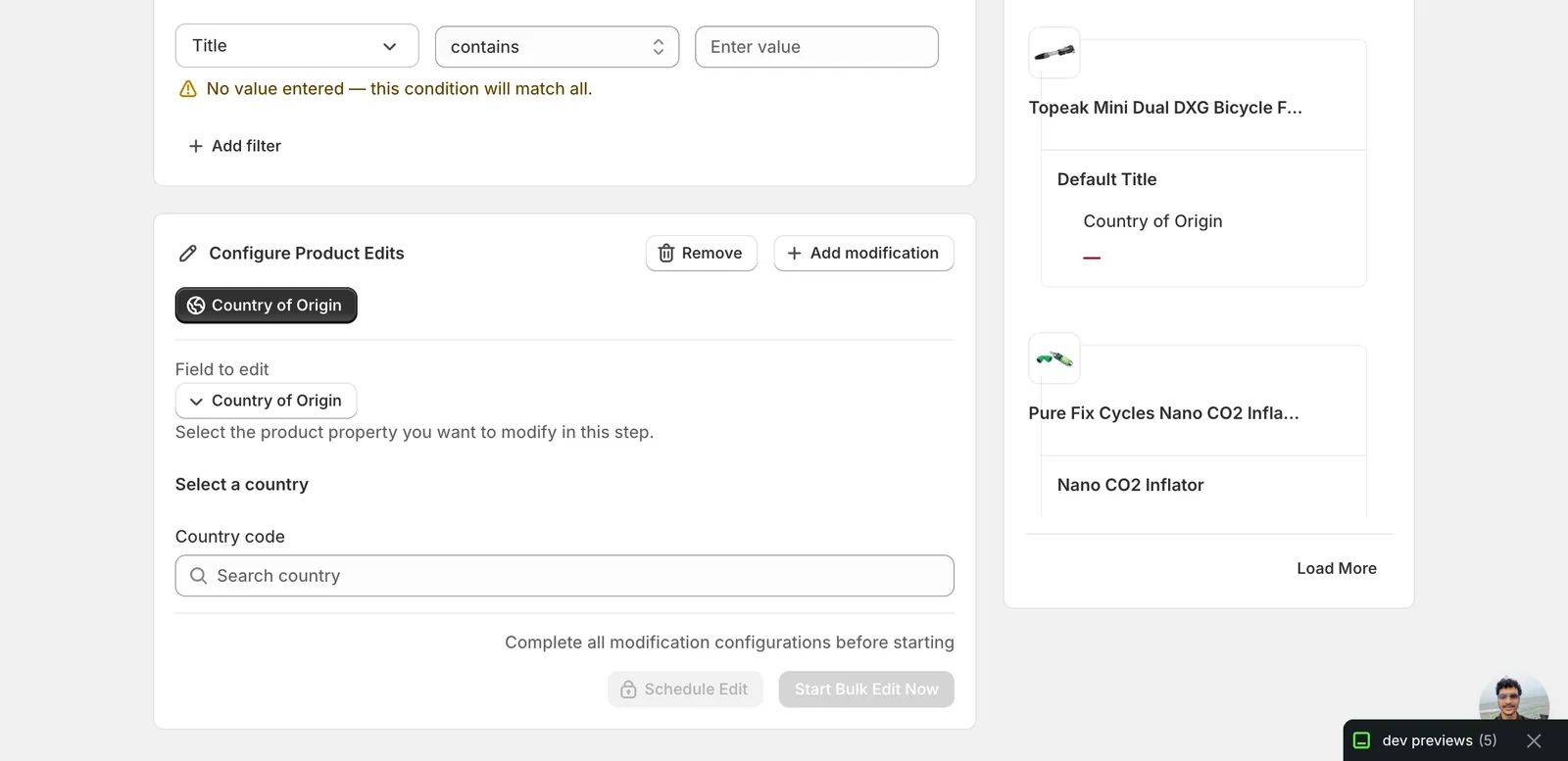
Step 2: Search for the country
Click the Country code input and start typing the country's name.
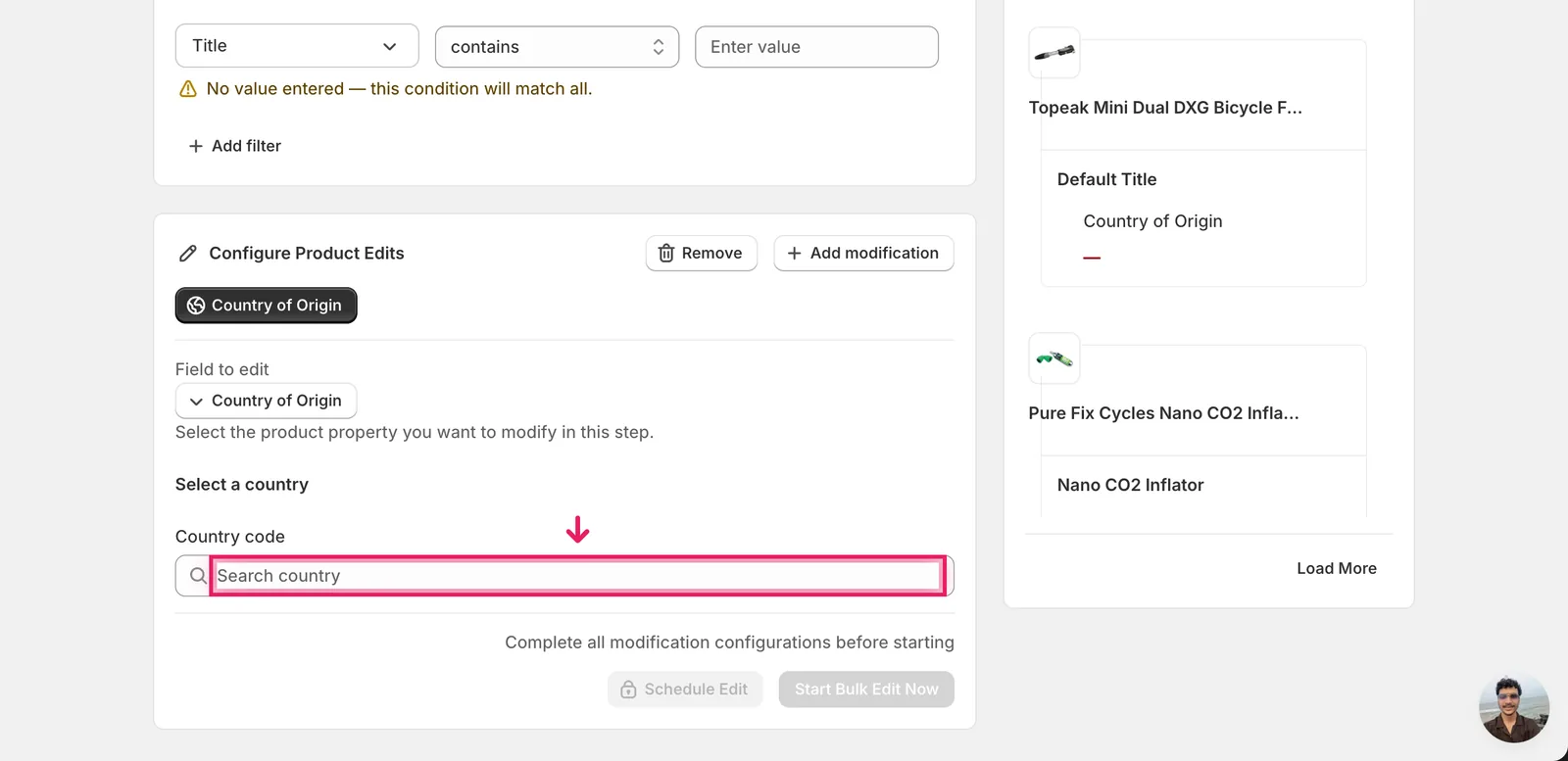
The list filters as you type. Search is case-insensitive and matches anywhere in the name, so kingdom will surface "United Kingdom" and ivoire will surface "Côte d'Ivoire".
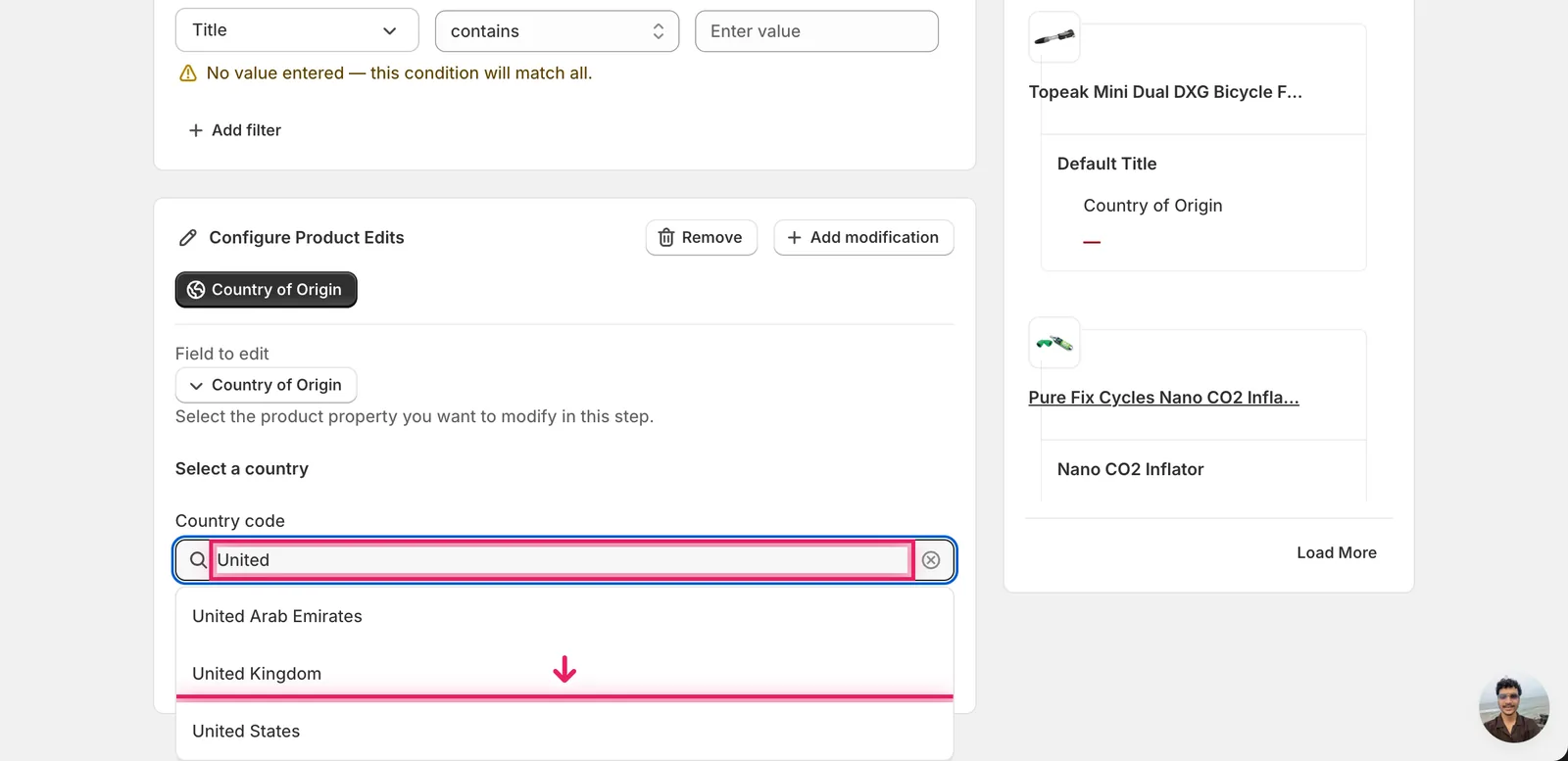
Click the country you want. The input fills with the country's full name and the Edit Preview on the right updates to show the new value (US, GB, AE, etc.) for every matched variant. The Start Bulk Edit Now button becomes available once a country is picked.
The stored value is the two-letter ISO code, not the country name. Shopify shows
USon the variant page, in CSV exports, and on customs paperwork. The Edit Preview reflects this: you searched for "United States", but each row showsUS.
Clearing the input drops the value to
ZZ(Unknown Region). If you delete what you typed instead of picking another country, every matched variant getsZZ— Shopify's placeholder for "country unknown". Pick a real country to avoid this.
Step 3: Filter, preview, then run
Use the Filter Products to Edit panel above the editor to narrow which variants get updated — by vendor, type, tags, SKU, title, or any combination. Without a filter the edit runs against your whole catalog.
The Edit Preview on the right resolves the change for each variant before you commit. Old values appear with a strikethrough next to the new code; variants already set to the chosen country show no change.
When the preview looks right, click Start Bulk Edit Now. EditEngine queues the change and runs through the matched variants. Schedule Edit queues the same run for a future time if you'd rather not apply it immediately.
After the run
- Country of Origin changes are reversible from the History page using Undo — Shopify exposes this field as a direct write, so EditEngine restores the prior value cleanly.
- This action is idempotent. Re-running the same edit produces the same result; there's no risk of compounding changes the way percent-based price edits behave.
- Variants that already match the chosen country are still touched but the value doesn't change. The Edit Preview surfaces this so you can spot variants that don't need an update.
- Country of Origin only matters for variants you actually ship across borders. Digital goods, gift cards, and store-pickup-only items use the value when present but don't require it.
Looking for the province field? That's a separate edit called Province Code of Origin under Variant Fields, used for sub-national customs detail (mostly Canadian and US states). It only resolves once the country is set to a country with provinces.
Frequently asked questions
How do I bulk set the country of origin on Shopify variants?
Pick Country of Origin under Variant Fields in EditEngine, then search the country picker by name — typing United surfaces United Kingdom and United States. Every matched variant gets the two-letter ISO code, like US or DE, applied once per variant. This is the same value Shopify uses for customs declarations on shipped orders.
Can I undo a bulk country of origin edit in Shopify?
Yes. Country of Origin changes are reversible from EditEngine's History page using Undo — Shopify exposes the field as a direct write, so the prior value is restored cleanly. The action is also idempotent: re-running the same edit produces the same result, with no compounding the way percent-based price edits behave.
Why does Shopify show US instead of United States after my bulk edit?
The stored value is the two-letter ISO 3166-1 code, not the country name. You search and pick by full name in EditEngine, but Shopify shows US on the variant page, in CSV exports, and on customs paperwork. The Edit Preview reflects this — each row shows the code, like US or GB.
What happens if I clear the country input during a Shopify bulk edit?
Clearing the input instead of picking another country drops the value to ZZ, Shopify's Unknown Region placeholder — every matched variant would get ZZ. Pick a real country to avoid this. EditEngine's Start Bulk Edit Now button only becomes available once a country is picked from the list.
Do digital products need a country of origin in Shopify?
Country of Origin only matters for variants you actually ship across borders. Digital goods, gift cards, and store-pickup-only items use the value when present but do not require it. For sub-national customs detail, EditEngine offers a separate Province Code of Origin field that resolves once the country is set to one with provinces.